

Your website needs work. You know that much. But do you need a new design, a better way to manage content, or a rebuild that connects properly with the rest of your business?
You don’t need a perfect brief before speaking to an agency. You do need a clear picture of what is getting in the way—and what you want to keep.
This website redesign checklist will help you collect the useful information, involve the right people and ask better questions. Start with what you know. Mark the gaps. Finding the answers can be part of the project.
The short version: bring these six things
- Your current website address and the main reason you want to change it.
- The people the website needs to help, and what they should be able to do.
- Examples of what works and what causes problems today.
- A rough list of content, features and connected systems.
- An investment range and any genuine deadline.
- The person who will coordinate feedback and approve decisions.
That is enough to make a first conversation useful. The detailed plan comes next.
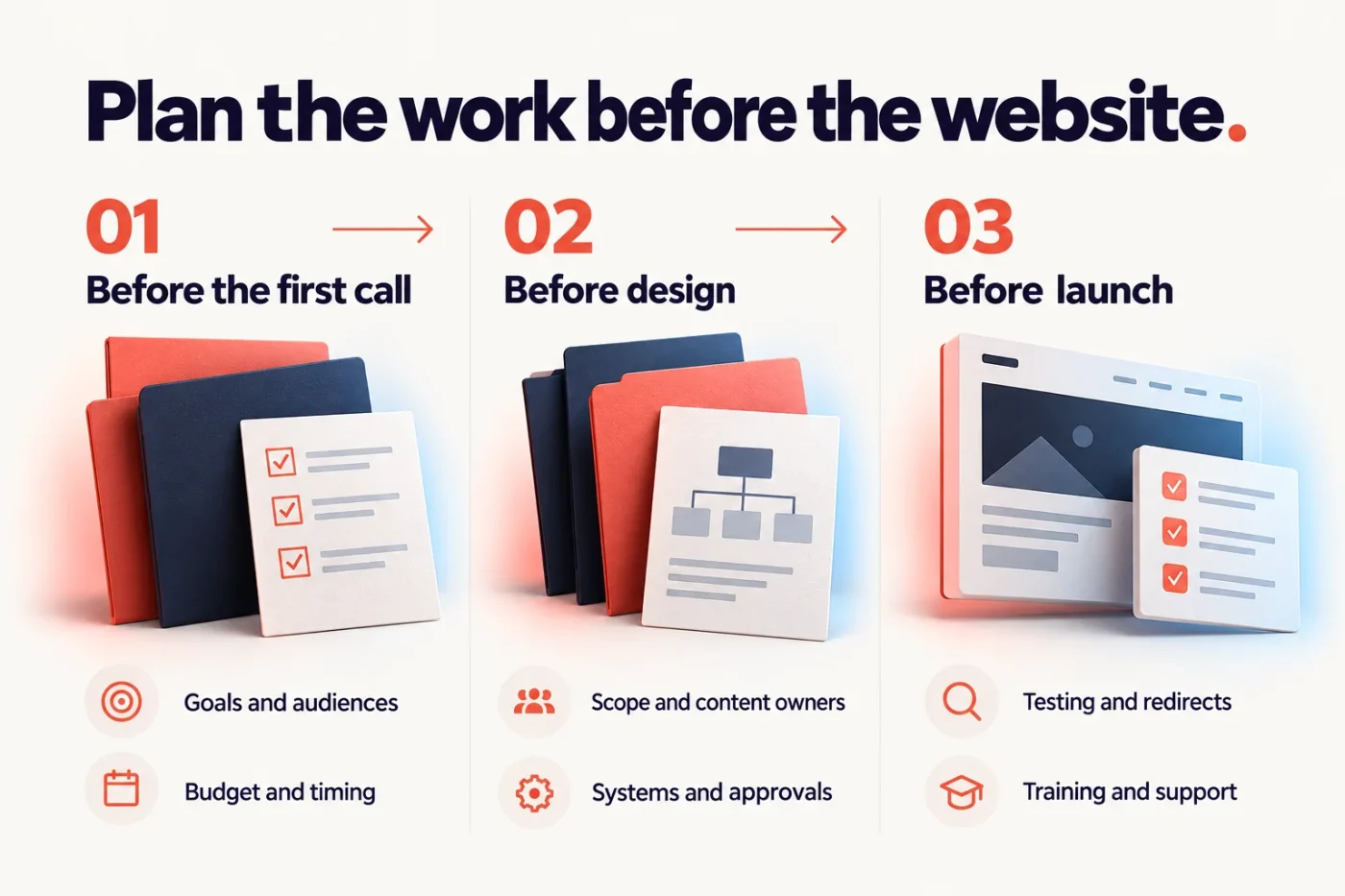
| Before the first call | Before design | Before launch |
|---|---|---|
| Goals and audiences | Scope and content owners | Testing and redirects |
| Budget and timing | Systems and approvals | Training and support |
1. Explain the problem before describing the new look
“It feels dated” is a starting point, but it leaves a lot open to interpretation.
Try describing what happens in practice:
- Customers call because they cannot find the right service.
- Your team needs developer help for everyday content changes.
- Product information is difficult to browse on a phone.
- Enquiries need to be copied manually into another system.
- The website no longer reflects the work you want to win.
Choose the two or three problems that matter most. Then describe what improvement would look like. For example: “A customer should be able to find the right product specifications and send a relevant enquiry without calling us first.”
You may discover that targeted improvements are enough. A full rebuild should have a reason beyond wanting something new.
2. Put your visitors’ tasks on paper
Different visitors may need different routes through the same website. A prospective customer, an existing client and a job applicant are not looking for the same thing.
For each important audience, write down:
- What they need to find out.
- What information helps them make a decision.
- What they should do next.
Keep this specific. “Learn about us” is less useful than “Check whether we handle their type of project, see relevant work and request a conversation.”
This gives the agency something practical to design around. It also helps you decide which pages deserve attention and which may not be needed.
3. Identify what the current website gets right
A redesign is not a reason to discard everything.
List the pages, tools and content worth keeping: useful FAQs, technical downloads, an established product configurator, a customer portal or a clear service explanation.
If you have analytics or Search Console data, ask your team to identify important pages and search queries. Add what staff hear from customers; website reports will not explain every problem.
Where URLs will change, ask who will map old addresses to their relevant replacements and test the redirects. Include valuable documents and images, not just pages. Google’s site-move guidance recommends planning URL mappings and monitoring the change. Rankings can fluctuate, so be wary of promises that a redesign carries no SEO risk.
4. Make a content list—and give each item an owner
Content needs more than a folder labelled “website stuff”. A simple shared list is easier to work with.
| Content | Keep, update or create? | Who supplies it? | Who approves it? |
|---|---|---|---|
| Service descriptions | Update | Service lead | Project owner |
| Team photos and bios | Update | Internal team | Project owner |
| Product specifications | Keep and check | Product team | Technical lead |
| Project examples | Create | Marketing team | Client permission where needed |
These are sample roles, not a required team structure. One person may wear several hats.
Gather your logo files, brand guidance, photography and useful documents. Flag missing material early. If you need copywriting or photography, include it in the discussion rather than assuming it is part of the website price.
You do not need every paragraph finished before contacting an agency. You do need agreement on who will prepare and approve the content, and when it will be ready.
5. List the systems behind the screens
A contact form may look simple while doing several jobs behind the scenes.
It might store an enquiry, send an email, create a CRM contact, attach a PDF and record a conversion. Each step needs its own owner and test.
List the systems your website connects to, such as:
- Your CRM and email marketing platform.
- Booking, payment or quoting tools.
- Property or product feeds.
- Customer portals and third-party forms.
- Analytics and advertising accounts.
For each connection, note what information moves, where it goes and who manages the account. “Keep our HubSpot connection” is less precise than “Send these form fields into these contact properties, and notify this team.”
Do not email a spreadsheet of passwords. Identify account owners first, then arrange appropriate access securely.
6. Separate launch essentials from later improvements
Not every worthwhile feature belongs in the first release.
Sort requirements into three groups: essential for launch, useful later, and still to be investigated. A second language, an interactive map or an advanced customer area may deserve its own scope once the need is clear.
Describe any accessibility requirements early, including who will assess them and how they will be tested. Avoid relying on a vague promise that the finished site will be “accessible”.
Share a realistic investment range and explain any deadline. If you are unsure what a project like yours involves, our page on website investment explains how we think about it. A launch tied to an event is different from an internal preference. Ask the agency which decisions, content and approvals the proposed schedule depends on.
7. Decide how feedback and approval will work
Your sales team may focus on enquiries. Your operations team may focus on administration. Both can offer useful feedback, but the designer needs a clear decision when their requests conflict.
Choose one person to collect comments, resolve contradictions and return a consolidated response. Identify any additional people who must approve content or functionality.
When reviewing a prototype, explain the issue rather than prescribing a solution immediately. “Our priority service is hard to find” is a clearer design problem than “Make this box bigger.”
Confirm what approval means at each stage: structure, visual direction, content and readiness to launch. Ask how later changes will affect scope and timing.
8. Plan the handover before the website is finished
Think about the week after launch. Who will change a photo, add a team member, update a product or check an enquiry?
Agree which tasks your team should manage and what training they will receive. Ask whether a recorded walkthrough, live session or both will suit the people doing the work.
Also clarify who is responsible for hosting, maintenance, support and third-party subscriptions. They are different responsibilities, even when one provider handles several of them.
Before launch, agree how you will check the website’s important journeys from beginning to end. Seeing a confirmation message is not enough if the enquiry never reaches the people who need it. Our guide to testing a website form properly shows what that involves.
A one-page brief you can copy
Use these prompts to start a shared document. Short answers are fine.
- Current website:
- Why we want to change it:
- Our three most important visitor tasks:
- What is working and should stay:
- Content we have / content we need:
- Systems and features that must continue working:
- Essential launch requirements:
- Ideas that can wait:
- Investment range:
- Target date and the reason behind it:
- Project contact and final approver:
- What our team needs to edit after launch:
- Questions we need help answering:
The last line matters. A brief should make uncertainty visible, not hide it behind technical language.
Ready to work out what your website needs?
Bring your current website, your main frustrations and whatever you have gathered so far. You do not need to solve the whole project before asking for help.
Vibes Design is a Melbourne web design studio working with businesses on website design, WordPress development and ongoing support. Explore our website redesign service or talk to us about your website.